How to Download and Verify a Gazette Copy in Karnataka
Your name change is gazetted, so how do you get the copy and be sure it is genuine? Here is how to download your gazette PDF in Karnataka and check every detail that an office will look at.
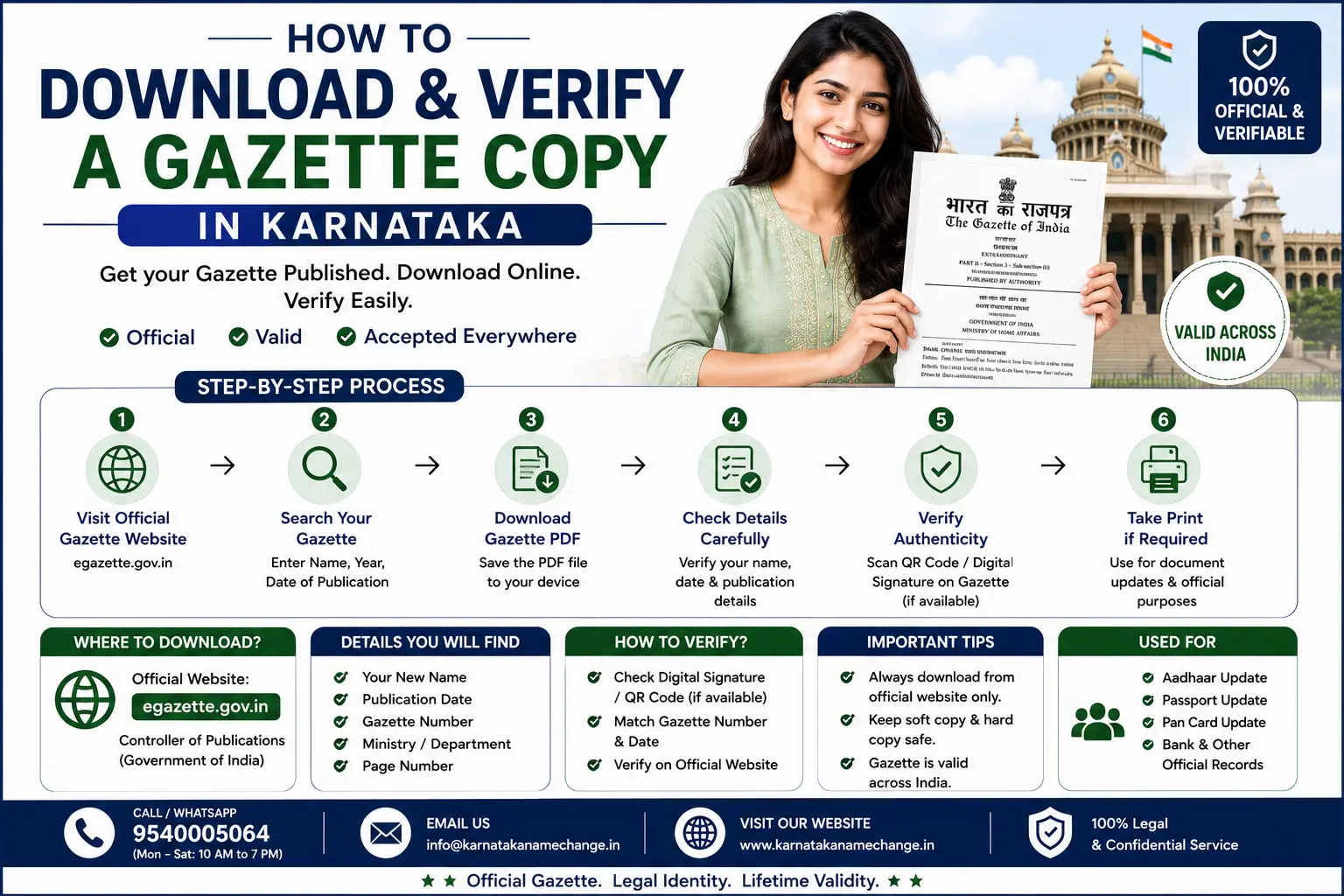
This step comes after publication. For the full process before this, see the main gazette name change in Karnataka guide, and for the online filing part, see gazette name change online.
On this page
- When your copy is ready
- The two portals, and which has your copy
- How to download the gazette PDF
- Central Gazette copy from Karnataka
- Benefits of the Central copy
- What a genuine gazette shows
- How to verify it is real
- The digital signature check
- Keeping your copy safe
- If you cannot find your copy
- Areas we serve
- People also ask
- Frequently asked questions
When Your Gazette Copy Is Ready
After you file the gazette application, publication usually takes about 30 to 45 days. Once your notice appears in a published issue, the PDF becomes available to download from the portal. Many applicants also get an email or a message with a link once the notification is live.
The Two Portals, and Which Has Your Copy
There are two separate Gazettes with two separate websites, and looking in the wrong one is why people conclude their notification was never published.
- The state Gazette has its own portal — Karnataka publishes its electronic Gazette at erajyapatra.karnataka.gov.in, which is where a state publication appears.
- The Central Gazette is elsewhere — published by the Union Government's Department of Publication at egazette.gov.in, with its own search.
- Your copy is on one of them, not both — whichever you applied to, so check your application or receipt before searching.
- Look under the right part — private name change notifications appear under Part IV, so filtering to it saves scrolling an entire issue.
- Search by date first — the issue date is usually the most reliable way in, since name searches depend on how the text was captured.
- Karnataka has published electronically since the start of 2020 — so anything older than that may need a request to the press rather than a download.
How to Download the Gazette PDF
Open the correct portal
Go to the same portal you filed on: the Karnataka State Gazette portal for a State Gazette, or the Department of Publication portal for the Central Gazette.
Find your published issue
Search using your acknowledgement or notification number, or browse the published issues by the date around your publication.
Open your notification
Locate your entry in the issue, with your old name and new name. Name change notices sit under the relevant part of the gazette.
Download and save the PDF
Download the full PDF. Save it with a clear file name, and back it up in a second place such as email or cloud storage.
If you filed online, the download is straightforward. See our online gazette guide for the filing side.
Downloading the Central Gazette Copy from Karnataka
If you chose the Central Gazette, you can still download your copy from anywhere in Karnataka. The Central Gazette is published online by the Department of Publication, Government of India, so the download does not need a trip to Delhi.
Open the Central e-Gazette portal
Go to the e-Gazette portal of the Department of Publication, Government of India, the same channel used for the Central Gazette (Gazette of India).
Search your notification
Use the search by ministry or department, and the date range around your publication, or your notification number. Name change notices sit under the relevant part of the Gazette of India.
Open and check your entry
Find your entry with your old and new name. Confirm the spelling, the notification number, and the issue date match your application.
Download the Gazette of India PDF
Download the full PDF issue. It is published from the Department of Publication, Civil Lines, Delhi 110054, and is valid nationwide.
Benefits of the Central Gazette Copy for Karnataka Citizens
For a Karnataka resident, a Central Gazette copy carries a few clear advantages over the state copy, especially when the name has to be accepted outside the state.
- Accepted across every state — the Gazette of India copy holds nationwide, so the new name works even after a move out of Karnataka.
- Smoother for passports — the passport office is often more comfortable with the Central Gazette copy for a re-issue.
- Preferred by CBSE and central boards — for a name change on CBSE or central university records, the Central copy is usually asked for.
- Needed for central Government work — if you work with a central department, the Central Gazette copy is generally the one accepted.
- Strong for study or work abroad — a nationally recognised copy avoids repeat gazette work later for visas and overseas use.
- One copy, everywhere — a single Central Gazette entry is recognised across states, instead of a state copy that may raise questions elsewhere.
What a Genuine Gazette Copy Shows
A real gazette notification carries a set of details in a fixed layout. Check that all of these are present and correct.
- Department name — the publishing department, such as the Karnataka Government press or the Department of Publication.
- Notification number — a unique number for your published notice.
- Issue date — the date the gazette issue was published.
- Part and section — name change notices appear under a specific part of the gazette.
- Old and new name — both must read exactly as in your affidavit, with correct spelling.
- Your details — address, and father's or spouse's name, matching your application.
How to Verify a Gazette Copy Is Genuine
Verifying means confirming the copy in your hand matches the official record. This is what offices do before they accept it.
Match it to the portal record
Open the official gazette portal and find the same issue by date and notification number. The details should match your PDF exactly.
Check the numbers line up
The notification number, issue number, and date on your copy must be the same as the portal entry.
Confirm the names and spelling
Read the old and new name carefully. A single wrong letter can cause an office to reject the copy.
Use the full issue, not a cutting
Keep the full PDF issue, not just a cropped page, so the header and official markings stay visible.
The Digital Signature Check
Matching your copy against the portal by eye is good. There is a stronger check built into the file itself, and it takes a few seconds once you know it is there.
- Government Gazette files are digitally signed — the signature is embedded in the PDF rather than printed on the page, and it certifies the file has not been altered since publication.
- Your PDF reader will show it — open the file in a proper reader rather than a browser preview, and look for the signature panel or a banner at the top.
- A warning on first opening is normal — readers often say the signature's validity is unknown until the issuing certificate is recognised, which is not the same as saying it is invalid.
- What matters is whether the document has been modified — the panel tells you that directly, and that is the question an office actually cares about.
- Printing and re-scanning destroys it — a scanned printout is just an image, with the signature gone and no way to verify it electronically.
- So keep the original file — print copies for counters if you like, but never let the downloaded PDF itself be replaced by a scan of a printout.
Keeping Your Gazette Copy Safe
The gazette is a permanent public record, but you still want your own copy handy for years, since you will use it for Aadhaar, PAN, passport, bank, and more.
- Save the PDF in two places — for example on your phone and in email or cloud storage.
- Print a few copies — offices often want a physical print, sometimes self-attested.
- Note the numbers — keep the notification number and issue date written down separately.
- Do not rely on one device — a lost phone should not mean a lost record.
You will need this copy when you update Aadhaar and update PAN.
If You Cannot Find Your Gazette Copy
Sometimes the copy is hard to locate, or the download does not work at first. These are the usual reasons and fixes.
- Not published yet — if it is still within the 30 to 45 day window, wait and check again.
- Wrong portal — make sure you are on the same portal you filed on, State or Central.
- Wrong date range — browse a few issues around your expected date, not just one day.
- Lost acknowledgement number — search by name and date, or ask whoever filed for you.
What Other Pages Leave Out
These are the gaps we found on pages covering how to download and verify a Gazette copy.
- Missing everywhere: no page mentions the digital signature embedded in the file, which is the strongest verification available and takes seconds.
- Which leads to a real loss: people print and re-scan their copy, destroying the signature and leaving themselves with an image rather than a verifiable document.
- Missing: no page explains that a warning about unknown validity on first opening is normal and does not mean the file is invalid.
- Vague: pages referring to the official portal without naming it. Right: there are two, run by different governments, and your copy is on one of them.
- Missing: no page says to look under Part IV, so people scroll entire issues looking for their entry.
- Missing: no page tells you that the issue number and date are all you need from an agent to find the copy yourself.
Portals and procedures change. Confirm the current position on the relevant Gazette website. This page is general information and not legal advice.
Gazette Download Help Across Karnataka
We help people download and verify their gazette copy in every district of Karnataka:
Do not see your city? We serve all Karnataka districts. Just contact us.
People Also Ask About Gazette Copies
These are the follow-up questions Karnataka applicants search most, answered in one or two lines each.
Which portal has my gazette copy?
Where in the issue do I look?
How do I verify the copy is genuine?
What is the digital signature?
My reader says the signature validity is unknown. Is it fake?
Can I just keep a printout?
Should I save the full issue or just my page?
My agent has my copy. What do I ask for?
Do I get a separate certificate?
What if my notification is older than 2020?
Frequently Asked Questions About Gazette Download and Verification
How do I download my gazette copy in Karnataka?
How do I verify a gazette copy is genuine?
Is the PDF copy legally valid?
How long after filing is the copy available?
What if the names are misspelled on the copy?
Can I get an old gazette copy again?
People also search for: download gazette copy Karnataka, verify gazette name change, e-Gazette download Karnataka, gazette notification number check, is my gazette genuine, gazette PDF name change.
Need Help Getting Your Gazette Copy?
We download, check, and re-send your gazette copy, and confirm every detail is correct before you use it for Aadhaar, PAN, and more.
People Also Search For
Related searches that come up alongside this, each answered in a line so you know whether it applies to you.
- Karnataka e-Gazette portal — the state's electronic Gazette, published online since the start of 2020.
- e-Gazette India download — the Union Government's portal, where Central Gazette issues are searched and downloaded.
- Gazette part IV name change — the part under which private name change notifications appear.
- Digital signature verification PDF — the signature panel in your reader, which reports whether the file has been modified.
- Gazette notification number search — searching by issue date is usually more reliable than by name.
- Is a gazette printout valid — useful at counters, but keep the original signed file, since a scan of a printout cannot be verified.
- Gazette name change process — the full guide. See our gazette name change guide.
- Gazette name change online — the online route. See our gazette online guide.
- Aadhaar name change process — the first record to update. See our Aadhaar name change guide.
- PAN name change process — the tax record. See our PAN name change guide.
- Surname change Karnataka — the wider picture. See our surname change guide.